Split Your Footage Into Engaging Clips That Boost Viewer Reach
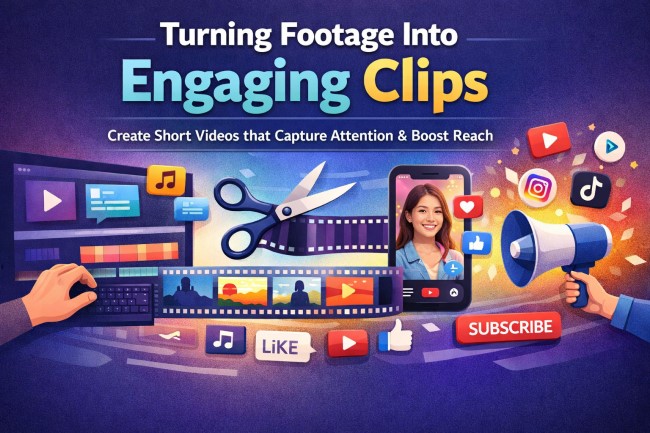
Videos are more than just moving pictures. They tell stories, show ideas, and connect with viewers. But long videos can lose attention. People scroll fast online. If a video drags, viewers may skip it. The key is turning footage into short, engaging clips. Clips are easier to watch, share, and remember.
Short clips help viewers see the message quickly. They are easier to fit into social media feeds, emails, and websites. If you want to learn how to turn your raw footage into videos that grab attention and boost reach, keep reading.
This guide explains strategies that work, step by step.
Why Short Clips Work Better
Long videos can be overwhelming. Viewers may get bored or distracted. Short clips are easier to watch and easier to share. They also allow businesses and creators to highlight the most important parts of a story.
Short clips make videos more memorable. When viewers can watch and understand quickly, they are more likely to like, share, and comment. These small videos are perfect for keeping attention in a world where people scroll fast.
Planning Your Clips Before Editing
The best clips come from planning. Think about the message first. Decide which moments are the most exciting, funny, or meaningful. Planning ensures each clip has a purpose.
When you plan ahead, you can focus on storytelling. Each clip can have a beginning, middle, and end. Even a few seconds can tell a complete story if you plan carefully. Random cutting often leads to clips that feel confusing or incomplete.
Choosing the Right Length
Length matters for engagement. Clips that are too long can make viewers scroll away. Clips that are too short may leave them confused.
Most social media clips do well under a minute. Highlight reels can go a little longer if they keep the energy high. Knowing your audience and platform helps choose the right length. For example, TikTok or Instagram Stories favor very short clips. YouTube may allow slightly longer videos for full explanations or highlights.
Using a Video Splitter to Save Time
Cutting long footage by hand can take hours. A video splitter helps make this faster and easier. It lets editors separate clips without losing quality.
With a video splitter, you can quickly create many clips from one video. This saves time and lets you focus on choosing the best moments. It also helps maintain video quality, so your final clips look professional and clear.
Adding Text and Graphics
Text and graphics help clips tell their story. Titles can introduce topics. Subtitles make videos easier to understand. Graphics highlight important points or actions.
These elements make clips more engaging. They also help viewers who watch without sound. Many individuals scroll on mobile devices without audio; thus, text and visuals clarify the message.
Music and Sound Effects
Music can change how a clip feels. A fast beat makes action exciting. A soft tune makes emotional moments stronger. Sound effects like swooshes, clicks, or applause can emphasize motion or key points.
Combining visuals with audio keeps viewers interested. Sound can make a small clip feel dramatic or fun. Good audio also helps clips stand out among hundreds of others in a feed.
Ending Clips With a Call to Action
Every clip should have a goal. What do you want viewers to do next? Watch another clip? Subscribe? Share?
A simple call to action at the end gives viewers direction. You can use text, a voice line, or a small graphic. Clear instructions turn casual viewers into followers or loyal fans.
Publishing on Multiple Platforms
Clips can be shared on social media, websites, and email campaigns. Each platform has different needs.
Vertical videos work well for phones. Square videos perform better on Instagram. Landscape videos are better for YouTube. Optimizing clips for each platform helps you reach more viewers and keeps videos looking professional.
Tracking Performance
Watch how your clips perform. See which ones get the most views, likes, and shares. Use this information to improve future clips.
If one style works well, create more like it. Tracking helps you understand what your audience enjoys. Over time, you can make more engaging clips that keep people coming back.
Repurposing Content
One video can create many clips. A single event or recording can give you multiple highlights, quotes, or tutorials.
Repurposing clips saves time. It also increases your reach. Multiple clips from one source mean more chances for viewers to watch and share your content.
Building a Stronger Connection With Viewers
Short clips encourage interaction. Viewers can like, comment, and share several times instead of just once. Frequent engagement builds a connection.
Regularly posting clips helps viewers expect new content. This creates a loyal audience that returns to watch and share again. Consistency is key.
How Editing Makes a Difference
Editing shapes how viewers experience clips. Smooth cuts, transitions, and pacing keep attention. Poor editing can confuse viewers or make a clip boring.
Professional editing highlights important moments. It makes clips feel polished. The right edits turn ordinary footage into something viewers want to watch repeatedly.
Turning Clips Into a Marketing Tool
Clips are not just for entertainment-they are marketing tools. They can show products, events, or services quickly.
Sharing short clips often helps businesses reach more people. Clips encourage viewers to act, visit websites, or make purchases. Short videos are a modern way to communicate clearly and quickly.
Make Every Second Count
Every frame of video is an opportunity. By splitting footage into engaging clips, you capture attention and boost reach. Planning, editing, and publishing strategically ensures each clip works hard to tell your story.
Small Clips, Big Impact
Splitting footage may seem simple, but it has a big effect. Short clips are easy to watch, easy to share, and easy to remember. With smart planning, strong visuals, and good editing, these clips can expand your reach, grow your audience, and make your content truly memorable.
Turning Footage Into Engaging Clips
Engaging clips help creators and businesses stay ahead. They make content accessible to viewers who may not have time for full-length videos. They give audiences a reason to follow, engage, and return. When every clip is well-crafted, every second matters.
For more on this content, visit the rest of our blog!